
Skip navigation

How to Log In to Five9 Agent Desktop Plus (Non-Salesforce Users)

  1. Go to five9.nl.edu and sign in with your NLU credentials

  2. Click "Agent" to log into your agent desktop portal

  3. Select "Softphone" under the Station Setup popup

  4. Confirm your speaker and microphone selection

  5. Select your Skill(s) you want to take calls for

  6. Update your agent state to "Ready (Voice, VM)"

  7. That's it, you are now ready to take calls!

PDF's to show you how to customize your station and update your settings

Understanding Your Dashboard

Customizing Your Station -> Voice Channel Settings -> Auto Answer Settings - Uncheck the boxes for calls that you DO NOT want to answer automatically.


If you have any questions, please contact help@nl.edu.


How to Transfer to Departments (Skill Queues)

In Five9 and MS Teams, you can transfer to individuals (agents) or departments (queues).  Queues are just a set of people who are skilled to take calls and voicemails for a given department.

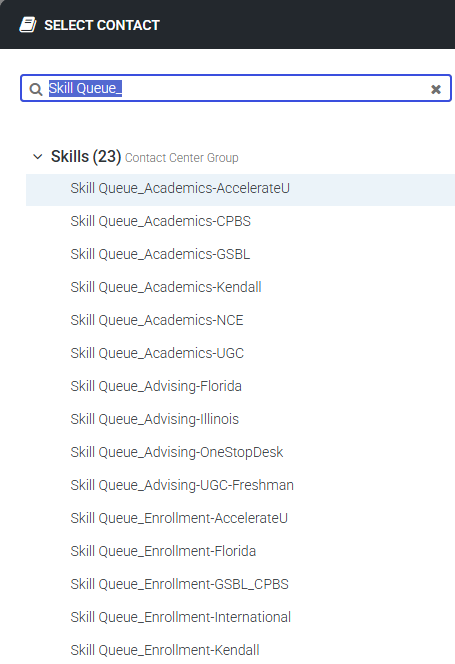
To find a department (queue) type in the words "Skill Queue" in the Address Book and select the department you would like to call or transfer to :).

Your Next Step is Within Reach.

With over 135 years of excellence and 70,000 alumni, we provide an extraordinary education that’s within your reach.